Keyword filters for cleaner alerts
Add must-include words to focus a broad search, and exclude words like 'stained' or 'damaged' to hide listings you don't want. Word filters are included during the free trial and on every paid plan.
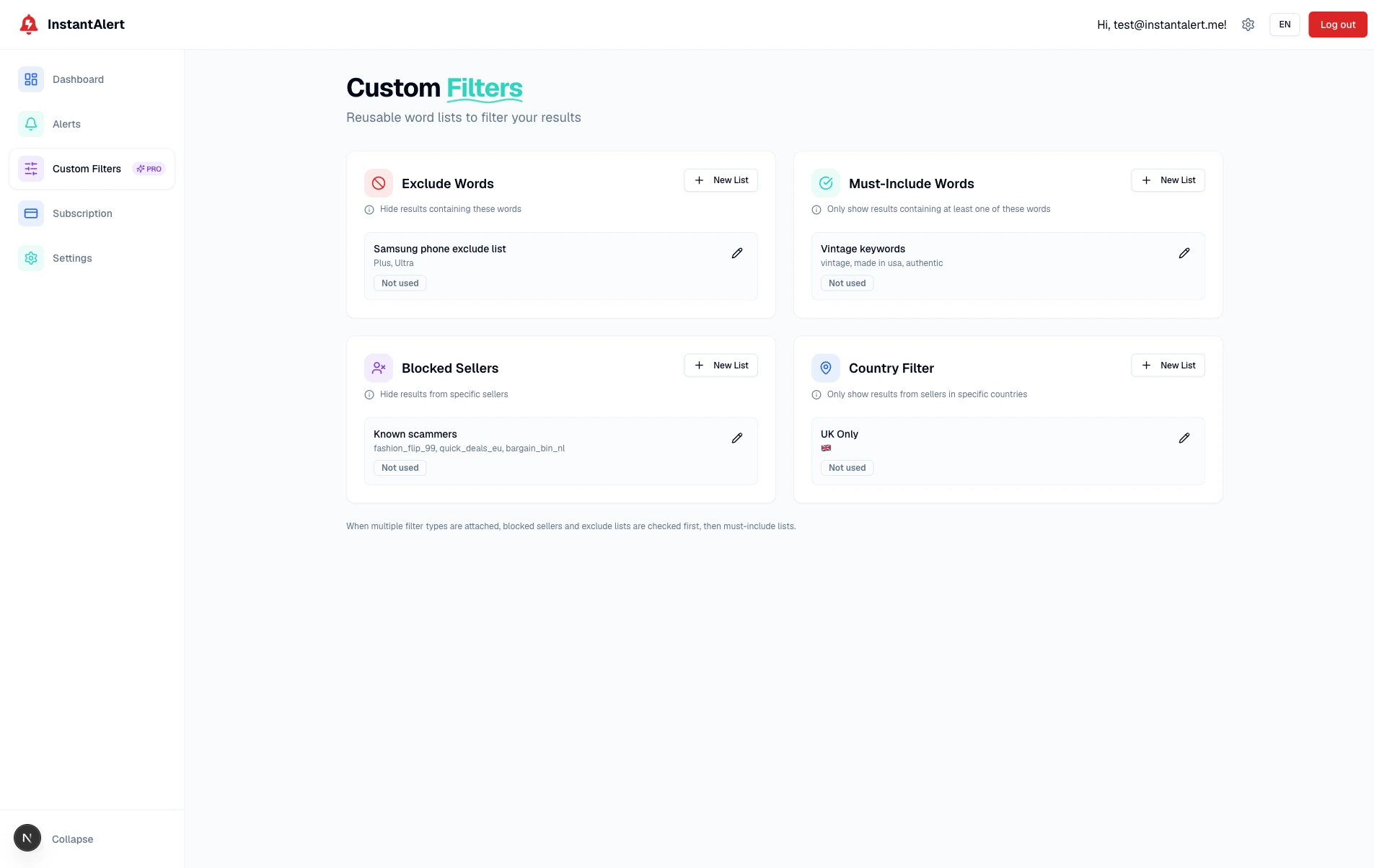
Keyword filters let you go beyond Vinted's own search. Build include and exclude word lists so your alerts only surface the listings that actually match what you mean.
How keyword filters work
- 01
Create a word list
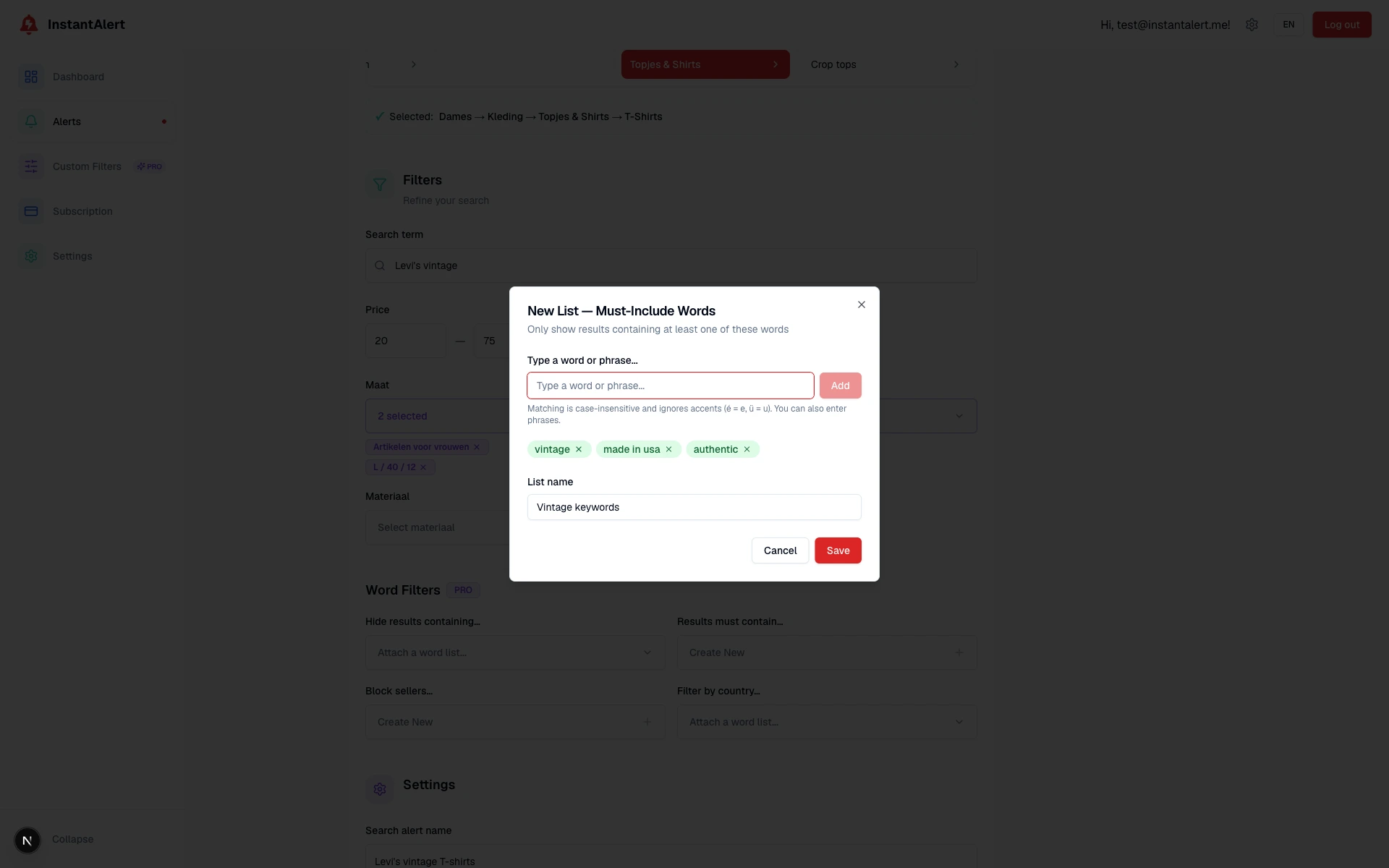
On the Custom Filters page, build a reusable list of words, one for words to include, another for words to exclude. Matching ignores case and accents, and you can use phrases too.
- 02
Attach it to your alerts
Add a list to any alert, and reuse the same list across several alerts. One exclude list of condition words can clean up every search at once.
- 03
We check title, brand and available description
Both lists check the title, brand and available description. At least one include term must match; any exclusion wins. Matching ignores case and accents and includes parts of words. Punctuation and line breaks count as spaces. If the description is unavailable, we decide from the title and brand.
Why people use keyword filters
Hide flawed items
Exclude words like 'damaged', 'stained' or 'broken' and stop seeing listings that aren't worth your time.
Sharpen broad searches
Include words turn a wide category into a focused one, perfect for narrowing to a specific style or model.
Reusable across alerts
Build a list once and attach it everywhere. Update the list and every alert using it updates too.
Who it's for
Resellers
Filter out flaws that kill resale value and keep only the listings worth flipping, without reading every description yourself.
Quality-conscious buyers
If condition matters to you, excluding the wrong words saves you from opening listings you'd never buy anyway.
Keyword filters FAQ
What's the difference between include and exclude lists?
Both lists check the title, brand, and available description. At least one include term must match; any exclusion wins. Depending on the selected mode, matching uses partial terms or whole words and phrases. Matching ignores case and accents, while punctuation and line breaks count as spaces. If the description is unavailable, the title and brand decide.
Are word filters available during the free trial?
Yes. Include and exclude word lists are available during the free trial and on every paid plan.
Can I reuse a word list across alerts?
Yes. You build word lists on the Custom Filters page and attach them to any of your alerts. A single list can be shared across several alerts, so you don't retype the same words each time.
Filter Vinted on your terms
Start with two trial alerts and use include and exclude word lists from the first check.
Start free trial